
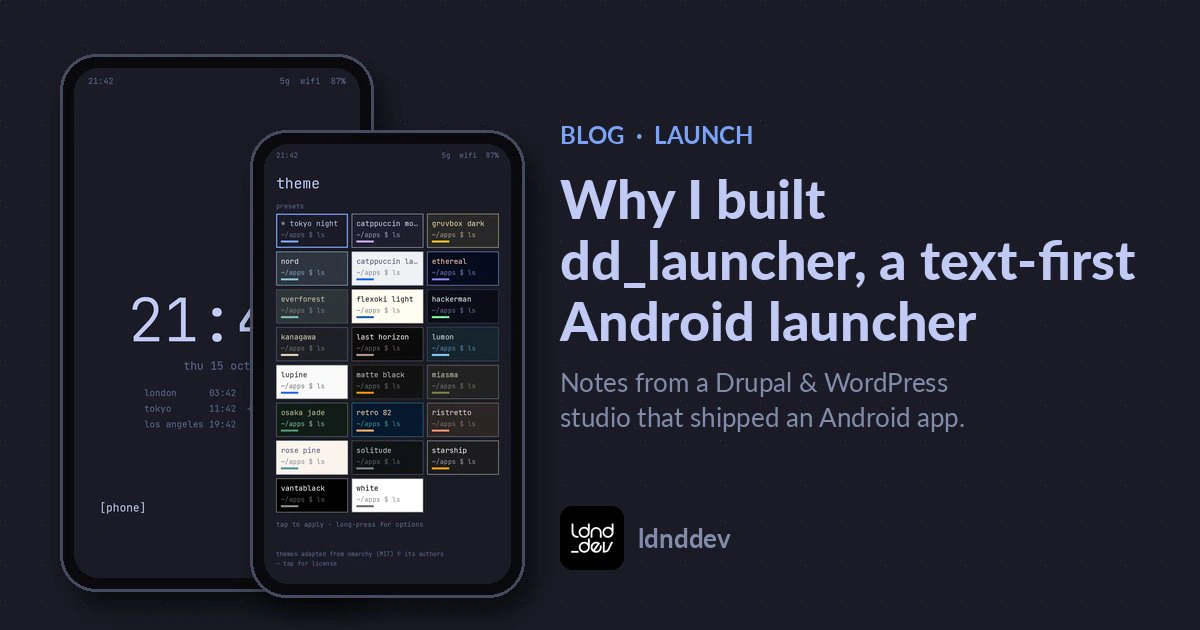
Why I built dd_launcher, a text-first Android launcher
dd_launcher is now on Google Play. It's a home screen for people who pick up their phone to do one thing and then put it down. No ads, no accounts, no tracking.
October 22, 2026 · Jared Lyvers, ldnddev, LLC
Why I wanted a smaller home screen
Most of the time I pick up my phone to do one thing. Check the calendar. Open a map. Jot a note. And most of the time, the home screen gets in the way of that one thing.
If you've read TUIs for the win, you know I like tools that stay quiet until I ask for something. I wanted my phone to work the same way. So we built a minimal text launcher for Android. Today, dd_launcher 1.0.1 is live on Google Play.
What dd_launcher does
dd_launcher replaces your Android home screen. Your apps are a plain text list. Type a few letters and the one you want is at the top. Everything else waits until you swipe for it.
- Home: a clock and date, up to 6 world clocks, and two shortcut slots.
- Swipe left: your apps.
- Swipe right: your panel.
The panel holds the things you check all day: a notepad with as many notes as you want, a to-do list that folds finished tasks out of the way, system stats (battery, memory, storage, CPU, Wi-Fi and cell signal, uptime), today's calendar events and the next 7 days once you allow calendar access, weather if you add it, and widgets from your other apps. You can reorder or remove anything.
Fuzzy search, then Enter
The app drawer is built around search. It's fuzzy, so "cal" gets you Calendar, and "settngs" still gets you Settings. Small typos are forgiven once you've typed three letters. Press Enter on the keyboard and the top result opens.
Apps you open often, and recently, move up in the results. That ranking is worked out on your phone and stays there.
If you'd rather scroll, there's an A–Z list with a letter index. You can hide or rename any app. Icons are your call: system icons, an icon pack, or none at all for a pure text list. Row spacing is adjustable, and work profile apps are included.
Themes, including terminal style
There are 23 presets, from dark themes like Tokyo Night, Catppuccin, Gruvbox and Nord to light ones like Flexoki Light. Many are adapted from Omarchy (MIT license, credited in the app). If you spend your day in a terminal, the terminal style gives you monospace type and thin borders. There's a softer style too.
The theme builder covers the details: every color, the font (sans, serif or mono), text size, clock weight, spacing, corner radius, icon size, and whether your wallpaper shows through. Save your own themes and share them as .ddtheme files.
Privacy in plain terms
I wanted an Android launcher with no ads and nothing watching over my shoulder. Here's how that works:
- No ads, analytics, crash reporting, accounts or tracking. We don't run a server for this app, and we don't receive any data from it.
- There are no third-party SDKs. The app is built on three small Android libraries and nothing else.
- Your notes, to-dos, themes and settings stay on your phone.
- Weather is the only feature that uses the internet, and it's off until you add it. You pick a city or use your approximate location. Coordinates are rounded to about 1 km before they're sent to Open-Meteo, an open weather service that needs no account. In city mode, the city name you type is sent instead. Remove the widget and its saved location and forecast are deleted.
- Permissions are requested only when you turn on the feature that needs them.
The full details are in the dd_launcher privacy policy.
How to set dd_launcher as your default home app
dd_launcher is a home app, so it won't show up in your app list after you install it. That's expected. To start using it:
- Install dd_launcher from Google Play.
- Press your phone's Home button and choose dd_launcher.
- Or set it yourself under Settings > Apps > Default apps > Home app. The exact path varies by phone.
Backing up notes and to-dos as markdown
Your notes, to-dos, themes and settings live inside the app. They're left out of Android cloud backup, so they won't follow you to a new phone on their own.
New in 1.0.1, you can keep your notes and to-dos as plain markdown files in a folder you pick. It's off until you turn it on:
- Open the launcher's settings and go to Markdown files.
- Pick a folder. dd_launcher writes two files there:
dd_launcher-todo.mdanddd_launcher-notes.md. - If you ever reinstall, pick that same folder again and choose use file. Your to-dos and notes come right back.
A couple of honest notes. Only to-dos and notes are restored this way. Themes and settings don't come back, so export any themes you want to keep as .ddtheme files. And uninstalling permanently wipes everything stored inside the app. If markdown files aren't turned on, your notes and to-dos go with it.
From websites to a phone
We've been building for the web since 1998. Most of what we make lives in a browser. But the habits carry over: keep it small, be honest about data, and build the thing you'd want to use yourself. If you're curious what else we build, here's what we do.
Get dd_launcher
I use dd_launcher every day. If you want a minimal text launcher for Android that stays out of your way, give it a try. It's free, and I hope it earns a spot on your phone too.
Get dd_launcher on Google Play →
Found a bug or have an idea? Email [email protected].
Need something built that respects the people using it? Let's talk.

Ready to Go!
Have a project brewing? Let’s chat and explore how we can help you bring it to life. Share your ideas and let’s get started.
About the author
Jared Lyvers is the founder of ldnddev, LLC and has been building websites since 1998. He has designed and developed 200+ websites and specializes in custom Drupal and WordPress development, accessibility, and the tooling that keeps projects fast and reliable. More about Jared's experience or start a project.